For hotspot operators · no account needed to read
Run your WiFi voucher business like a real shop
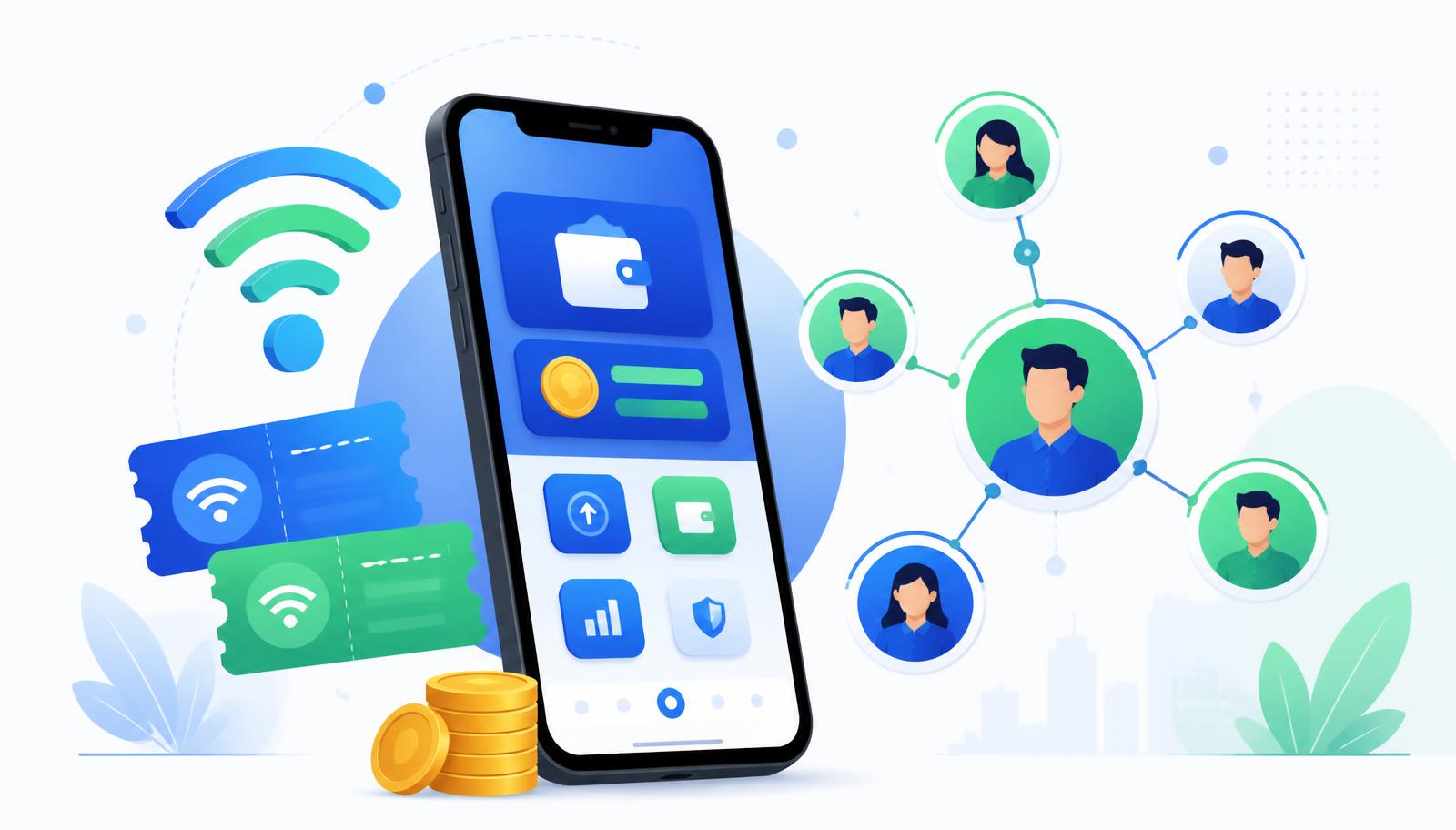
ONE WAVE gives your hotspot a wallet, a reseller network and a voucher store on one mobile-first platform. Coins circulate as your shop's cashflow, resellers earn cashback, customers earn points, and every movement is recorded.
WiFi vouchers Revolving cashflow Resellers & subresellers Cashback & points
How the ecosystem works
Coins are your shop cashflow
Coins are the internal value that circulates inside one shop. Your admin wallet holds them, resellers buy them from you, customers spend them on WiFi vouchers, and the value comes back to you as sales. The same Coins revolve again and again.
Resellers and subresellers extend your reach
Resellers get their own wallet and their own cashback rate. A subreseller sits under a reseller, and the subreseller share comes out of the reseller total. Whatever remains after those shares stays with you as shop earnings.
WiFi vouchers are what customers buy
You add your voucher products with prices and stock, and upload the codes from your hotspot controller. Customers pay with Coins, receive a code, and connect. Every sale is written to an immutable ledger.
Cash In and Cash Out
Customers top up their Coins by paying your shop, and payouts are settled by you or by the platform depending on the path. Coins themselves are never a payment instrument — they are shop cashflow.
Cashback and Points
Cashback rewards the people who sell for you and is set per member. Points reward the customers who keep buying, and can be redeemed for rewards you define.
The subscription is an expense, not the Coins
Your monthly plan price is a business expense. The Coin allocation that comes with it is one-time revolving cashflow capacity — renewing keeps the shop running with the Coins you already have, and upgrading mints only the difference.
See the money move
Example / simulation
How 1,000 Coins of capacity revolve
- 1. Your admin wallet holds 1,000 Coins of shop cashflow capacity.
- 2. You load 300 Coins to a reseller after they pay you for them.
- 3. The reseller loads 100 Coins to a subreseller under them.
- 4. A customer buys a ₱50 one-day WiFi voucher. With a 10% reseller rate and a 4% subreseller rate, the subreseller earns 2 Coins, the reseller earns 3 Coins, and the remaining 45 Coins stay with your shop.
- 5. The same Coins are then sold again — that is the revolving part.
Illustrative figures only. Your own prices, cashback rates and volumes decide your actual results.
In detail
New section
Subscription plans
The monthly price is your subscription. The Coin allocation is revolving shop cashflow capacity granted once when your plan is activated — it is not cash and cannot be withdrawn. Upgrading mints only the difference, and the unused value of your current month is deducted from the first month of the new plan.
Basic
Growing customer base
₱100/mo
2,500 Coins revolving shop cashflow capacity
Adds room for a wider customer base and the first steps of a distribution network with 2,500 Coins of revolving cashflow.
Who it is for: Shops with a growing WiFi customer base and early Coin distribution to a few helpers.
When to upgrade: Upgrade when resellers start holding Coins of their own.
Standard
Beginning reseller activity
Popular
₱150/mo
5,000 Coins revolving shop cashflow capacity
5,000 Coins of revolving cashflow for a shop whose resellers are becoming active.
Who it is for: WiFi voucher businesses with active customers and reseller operations starting.
When to upgrade: Upgrade when several resellers are active or subresellers appear.
Advanced
Active reseller network
₱200/mo
10,000 Coins revolving shop cashflow capacity
10,000 Coins of revolving cashflow for higher voucher volume and a real reseller/subreseller network.
Who it is for: Shops with multiple active resellers, larger customer networks and beginning subreseller networks.
When to upgrade: Upgrade for multi-location or very high simultaneous Coin movement.
Large Deployment
Multi-location deployments
₱500/mo
500,000 Coins revolving shop cashflow capacity
500,000 Coins of revolving cashflow for large WiFi voucher deployments. Price is agreed with WaveWallet.
Who it is for: Large deployments with many resellers, subresellers and multiple locations.
When to upgrade: Contact WaveWallet to size the plan to your deployment.
Legacy shops and Subscription shops
Subscription shops
New shops run on a monthly plan with a one-time Coin allocation. Coins stay inside the shop: there are no cross-shop Coin transfers, and every wallet, member and ledger entry is isolated from every other shop.
Legacy shops
Shops that joined before the plans keep their existing arrangement and behaviour unchanged. The Coin, cashback, points and voucher logic is the same across both.
Start your own shop
Sign up for a free ONE WAVE account and set up your own shop — loading resellers, selling WiFi vouchers, cashback and points. Pick a plan whenever you are ready to go live. Your account and shop always stay yours.
Sign up and create your shopGet the app
ONE WAVE for Android — official app
Install the official ONE WAVE Android app directly from this site. No Play Store needed. iPhone and iPad users can add the web app to the Home Screen instead.
Install ONE WAVE on your phone
Adds a ONE WAVE icon to your home screen and opens full screen, without a browser bar. Same login, same shops, same Coins — nothing is stored separately on the device.
Your browser did not offer an automatic install button. Use the manual steps below.
Android (Chrome, Edge, Samsung Internet)
- Open this site in Chrome.
- Tap the ⋮ menu (top right).
- Tap Add to Home screen or Install app.
- Confirm — ONE WAVE appears with the other apps.
iPhone / iPad (Safari) & Windows
- iOS: tap Share, then Add to Home Screen.
- Windows: open in Chrome or Edge and click the install icon in the address bar (or ⋮ → Install).
- Launch it like any other app.
An internet connection is required for Coin transfers, WiFi voucher purchases, cash in and cash out. Nothing financial is queued or processed offline.
Frequently asked questions
Ask a question
ONE WAVE Support reviews and answers questions here. Published answers help the next operator too.
Please ask without links. Questions are reviewed before they appear.